English Português Español

Tasks in
QVALON

Assign individual and group tasks, monitor execution statuses, and analyze compliance discipline

Request a demo

✅ WEB ✅ Mobile app
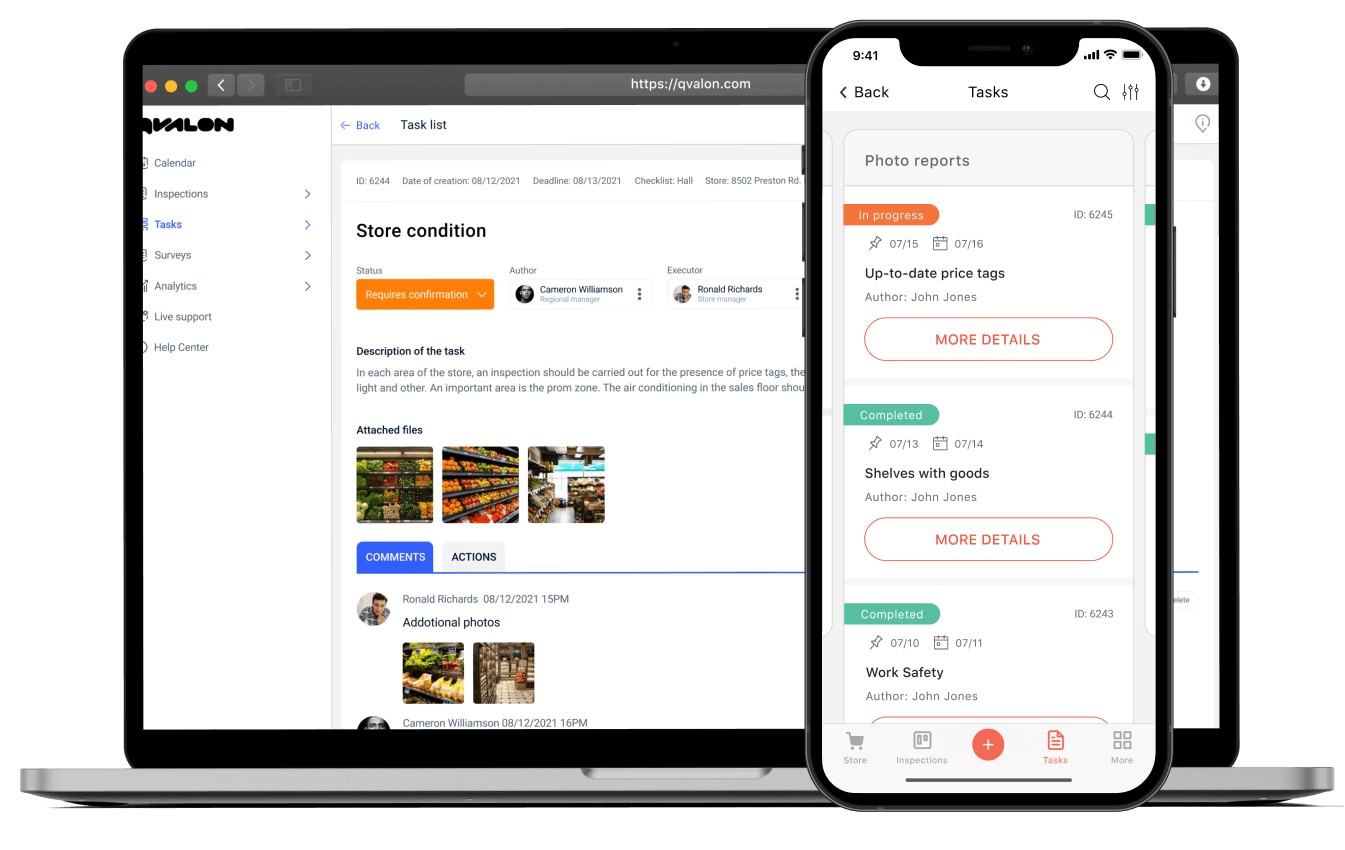
QVALON survey creation interface

Problems and solutions

Multiple communication channels

Tasks get lost in messengers

Lack of deadlines and control

Impossible to understand what has been completed

Lack of transparency

The manager cannot see task statuses

Automatic tasks from checks

The system automatically creates tasks based on results

Standard task templates

Ready-made templates for quick assignment

Transparent execution control

Complete visibility of all task statuses

How the "Tasks" module looks in the QVALON mobile app

Key features

Task creation

From checks, templates, or manually

Notifications

Push notifications and reminders for employees

Files and comments

Files, photos, comments — all in one task

Reports

By deadlines, statuses, efficiency

Trusted by

  • logo ralf ringer
  • logo mango
  • logo modis
  • logo fixprice
  • logo burger king
  • logo worldclass
  • logo amway
  • logo nana
  • logo quicksilver
  • logo yango deli
  • logo HENDERSON
  • logo 12 storeez
  • logo Birch coffee
  • logo ozon
  • logo united colors of benetton
  • logo zenden
  • logo yves-rocher
  • logo netcost
  • logo local
  • logo kfc
  • logo ralf ringer
  • logo mango
  • logo modis
  • logo fixprice
  • logo burger king
  • logo worldclass
  • logo amway
  • logo nana
  • logo quicksilver
  • logo yango deli
  • logo HENDERSON
  • logo 12 storeez
  • logo Birch coffee
  • logo ozon
  • logo united colors of benetton
  • logo zenden
  • logo yves-rocher
  • logo netcost
  • logo local
  • logo kfc

Business tasks that QVALON solves

Launch control of new locations

Assign tasks for launch, logistics, equipment, checks — all in one place.

Expiration date and loss management

Create tasks based on expiration check results, automatically notify staff.

Cleaning quality control

Standard tasks for cleaning, with photo reports and re-checks based on results.

Interaction with contractors

Assign tasks to contractor organizations, track deadlines, coordinate actions.

Motivation and feedback

Task completion ratings, motivational KPIs, feedback in comments.

Employee training and certification

Tasks to complete courses, tests, and familiarize with regulations.

Frequently asked questions

Can tasks be assigned to both individual employees and groups? +
Yes. You can assign tasks to specific executors or groups. The system tracks who accepted the task and its current status.
What types of tasks can be created in QVALON? +
Create any type of tasks: one-time, recurring, with checklists, deadlines, comments, and attachments. There are templates for typical scenarios.
Can tasks be tracked in real time? +
Yes, everything is shown in real time: from assignment to completion.
How do employees find out about new tasks? +
Notifications arrive in the mobile app and are displayed in the system. Push notifications work.
How are reports generated? +
Reports can be generated by statuses, deadlines, delays, activity, and other parameters.
Can the module be used separately? +
Yes, the "Tasks" module can function independently. But together with "Checklists," "Surveys," and "Analytics," it reaches its full potential.
Are there volume limitations? +
No. The system scales for any volume of tasks and users.
What devices are supported? +
It works via web interface and mobile app (iOS/Android), with full synchronization.

Ready to simplify task management?

Try QVALON in action — without risk or additional costs